


What it does
- Writes and produces video ads — script, footage, voiceover, music, and editing. Jump ↓
- Designs static ads — image ads in every placement size. Jump ↓
- Writes the copy set — the primary texts, headlines, and CTA that Meta (and other channels) show alongside the creative when the ad is published.
- Localizes — native-reading variants for every language you sell in.
- Works from your brand — logo, fonts, product shots, footage you upload. Jump ↓
How you brief it
There’s no rigid form. A creative can start from a one-line idea, a full brief, or a handoff from Roy — and you can attach references to any of them. Crea fills in the rest. A rough idea, expanded into a full script:You: UGC-style video — someone realizes there’s spyware on their phone and panics. Keep it real, not scripted-looking. Crea: writes the full script — a scroll-stopping hook, the discovery moment, the emotional beat, and a CTA to scan your phone — then proposes three different hooks to find which opening grabs attention, and produces all three.A concept handed over by Roy:
Brief from Roy: Science Hook × Mom POV. Audience: screen-time-worried moms (problem-aware). Angle: kids learn more from hands-on science than from a tablet. Hypothesis: opening on a credible science stat stops the scroll. Crea: turns the brief into a shot-by-shot script with voiceover, keeps the science stat as the lead hook, writes two alternative hooks for the same body, and renders a 9×16 montage.A reference you want to riff on:
You: [uploads a competitor video] I like the pacing of this one. Make our version, for our product. Crea: breaks down the reference’s structure and rebuilds it around your product and brand — same rhythm, your story.
Two ways to work: all at once, or step by step
You can hand Crea the whole thing in one go — a “hail mary” brief — and let it produce a complete first draft. Or you can build it up step by step, shaping the script, then the footage, then the audio, one decision at a time. Both work; pick by the situation:- Hail mary — best when you’re on familiar ground: a proven format, a concept you’ve run before, or a brief you trust. Let it run and react to the result.
- Step by step — best when it’s brand new territory, or when you have a very specific vision in mind. Staying in the loop at each step keeps the draft on your rails instead of guessing the whole thing at once.
Video ads
Video is where Crea does its deepest thinking — writing the script, choosing the format, and structuring the edit.Anatomy of a video ad
Almost every performing video ad has the same three-part spine, and Crea builds to it:1
Hook — the first 2–3 seconds
The scroll-stopper, and the single most important part of the ad. A bold stat, a question, a relatable moment, a striking visual — anything that earns the next second of attention.
2
Body — the message
Where the ad does its work: the story, demo, testimonial, or montage that builds desire and makes the case.
3
CTA / packshot — the close
The product shot, the offer, and a clear action to take.
The rule of three
The hook is the highest-leverage variable in a video ad — the same body can win or die on its first two seconds. So Crea usually produces three variations of a concept, each with a different hook, keeping the body and close constant. You launch all three and let the data show which opening wins, instead of betting everything on one guess. Which hooks it writes isn’t random — it reasons from who the ad is for and how aware they already are of the problem. That’s the execution layer of Audiences & Angles.Every format, not one look
Crea knows the proven ad formats cold — UGC, voiceover montages, motion graphics, cinematic, screen demos — and reaches for the one that fits the concept, or makes the one you ask for. But it isn’t limited to a fixed menu: describe a format by its spec — the structure, pacing, and feel you want — and it will mix and match elements into something custom. The named formats below are starting points, not a ceiling.Street interview · kids' activity app
Crochet / wool world · kids' activity app
Papercraft stop-motion · kids' activity app
Cinematic trailer · learning app
Text-on-atmosphere story · meditation app
Screen-recording demo · Mac privacy app
UGC testimonial · anti-spyware app
Voiceover montage · kids' activity app
Motion graphics · Mac privacy app
Voiceover and music
Crea produces the whole soundtrack, not just the visuals. It generates voiceover in a wide range of voices and background music matched to the ad’s mood. Don’t like the read? Ask for a different voice — warmer, younger, a specific gender or accent — a different delivery, or new music, and it swaps just that. You can also bring your own: upload a voice recording or a track and it mixes it in.Change one piece, not the whole ad
Crea generates AI footage — but it also edits on a real timeline, so you can revise any single part without re-rolling the entire video. Swap just the hook, replace one clip, fix a caption, change the music, re-time a cut — and everything else stays exactly as it was. That’s a real difference from tools that regenerate the whole thing from a prompt every time: here, a good ad that needs one fix gets the fix, not a fresh roll of the dice.You: love it — but replace the second clip with our actual product screen, and slow the first cut down a touch. Crea: swaps that one clip and re-times the opening; the hook, voiceover, and everything after stay untouched.
Static ads
Statics follow the same test-everything instinct, with a twist: since there’s no hook to swap, the variable is the visual and the layout. Crea produces several takes on the same idea — a checklist, a data visualization, a lifestyle shot — so you can see which framing lands the message best. It’s deliberately flexible: data visualizations, symptom checklists, before/after sets, lifestyle flat-lays, hero shots, text-only cards, activity grids — whatever gets the idea across. And it doesn’t have to invent every pixel. Hand it your own photos, product shots, or logo and Crea will use them as-is or edit them into the design — drop out a background, place your product into a scene, build a grid around your images. The craft-and-lifestyle examples below are built exactly this way: real product photography, composed and finished by Crea.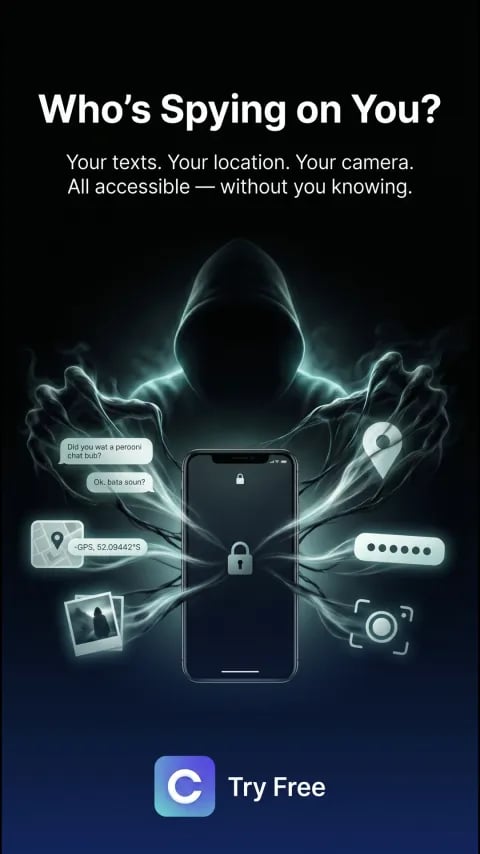
Data-leak visualization · anti-spyware app
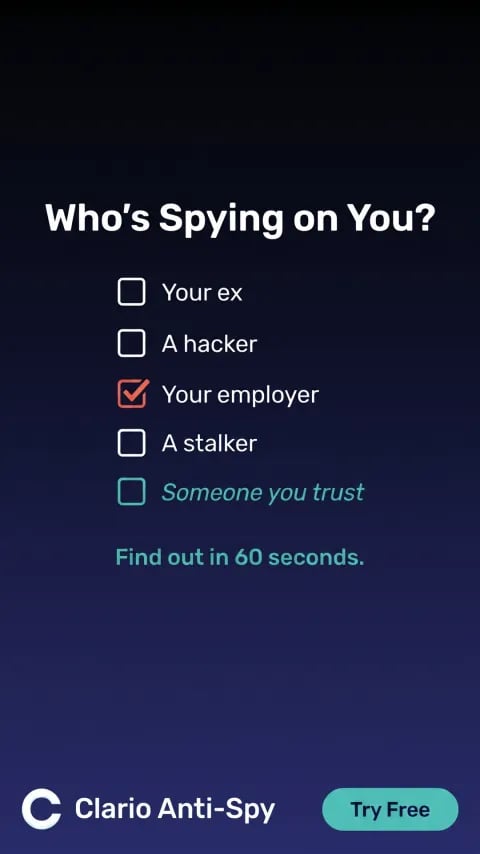
Symptom checklist · anti-spyware app
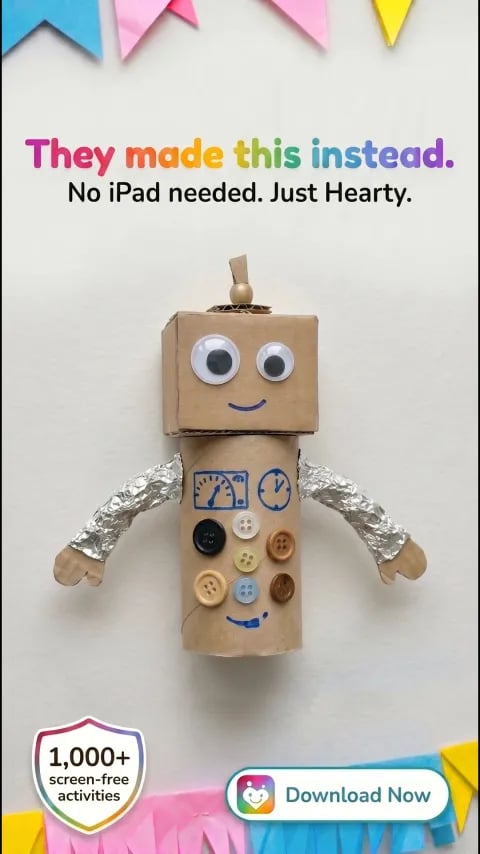
Craft lifestyle · kids' activity app
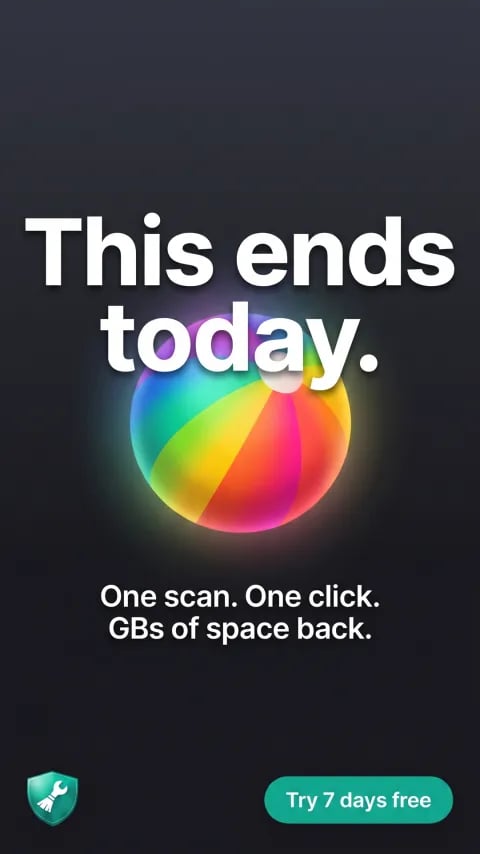
Before / after · Mac privacy app
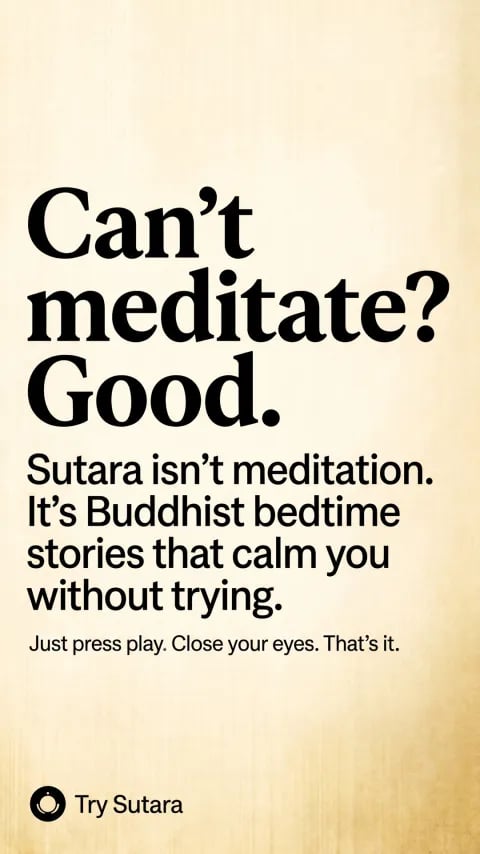
Text-only · meditation app
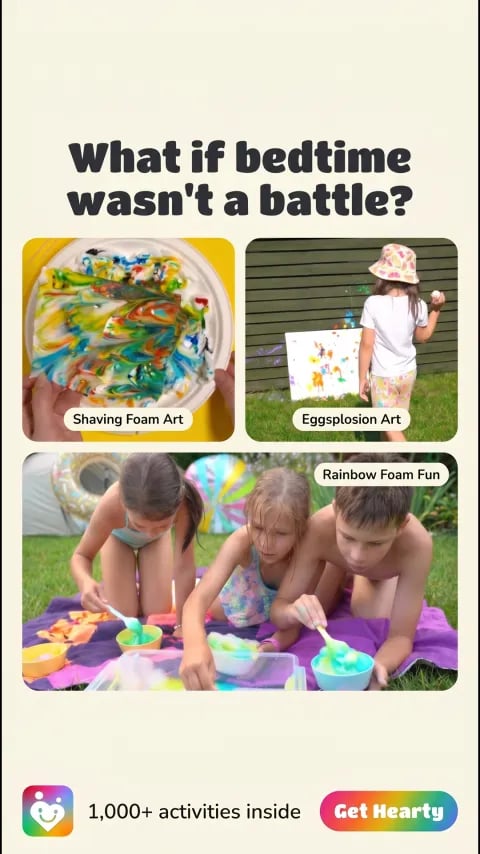
Activity grid · kids' activity app
Brand assets
Crea is only as on-brand as what you give it. The brand assets area is where you feed the team raw material — and everything you upload becomes usable in production:- Logos and fonts — so ads carry your identity, not a generic look.
- Product photos and screenshots — the real thing, in the ad.
- Screen recordings and raw footage — demos, b-roll, anything you’ve shot.
- Reference ads — winners you want the team to learn from.
- Anything else — brand guidelines, packaging shots, mascot art.
/setup or any time — in the brand assets area, or by dropping files straight into a chat. The more real material Crea has, the less generic the output. See Memory for how each kind of knowledge is used across the team.
📷 Screenshot placeholder — brand assets area.
Localization
/localize produces variants for every language in your project — not just translated text, but copy that reads native. Each language gets its own launch lifecycle, so you can ship English today and German once it’s reviewed.
Publishing & variations
/publish finalizes the work: it uploads every asset in every size and registers a variation — a numbered, versioned snapshot of the creative. Published work lands on the kanban as ready for your review.
Once a variation is launched it freezes — it can’t be edited, and changes create the next variation instead. Your live ads never mutate under you, and every test stays comparable.
Reusable formats — /save_format
When you land on a format that works — a montage structure, a UGC style, a particular hook-and-pacing — you don’t want to rebuild it from scratch next time. /save_format captures it as a reusable recipe the whole project can follow.
Run it in a creative’s chat after you’ve produced or iterated on it, and Crea reviews the entire conversation and writes down exactly how the format was made:
- The structure and timing — how long the hook runs, how the body is paced, where the packshot lands.
- The real scripts and prompts — the actual wording it used to generate footage, voiceover, and music, not a vague summary.
- The production steps — the order it built things in and the settings that worked.
- The copy conventions — headline and caption patterns for the format.
- What went wrong — the mistakes and course-corrections, so they’re not repeated.
- Every future creative in the project can see it — Crea follows the proven workflow instead of reinventing it, so the tenth montage is faster and more consistent than the first.
- Tag a new creative with that format and it links straight to the recipe.
/save_format is manual and not gated on performance — you decide which formats are worth keeping, winner or not. It captures how to build a format; which formats actually perform is a separate question answered by /analyze and your performance data. See also Memory → Formats.The kanban
The creative board is your production dashboard. Columns, left to right:A card sits in Needs review whenever Crea had the last word in your conversation — it’s the “your move” column. Once ads are live, cards also carry performance tier badges.
Commands
Good to know
- Steer, don’t restart. “Keep the layout, swap the headline for the pain-point angle” preserves what already works. See Working with the Kitties.
- Launched variations freeze. Changes create a new variation, so your live ads never change under you.
- It can circle back. “Check how this is doing in 3 days” or “remind me on Nov 20 to refresh the Christmas set” sets a reminder — Crea returns to this creative’s chat at that time with fresh performance data and a next step.